Batch cleanup
Process compatible JPEG, PNG, HEIC, and TIFF images together instead of inspecting each photo manually.
 NeatClick
Photo privacy from Finder
Create clean sharing copies from Finder. Remove all supported metadata or target location data while keeping your originals intact.
Version 1.2 · Requires macOS 14 or later. · No subscription · Files stay on your Mac
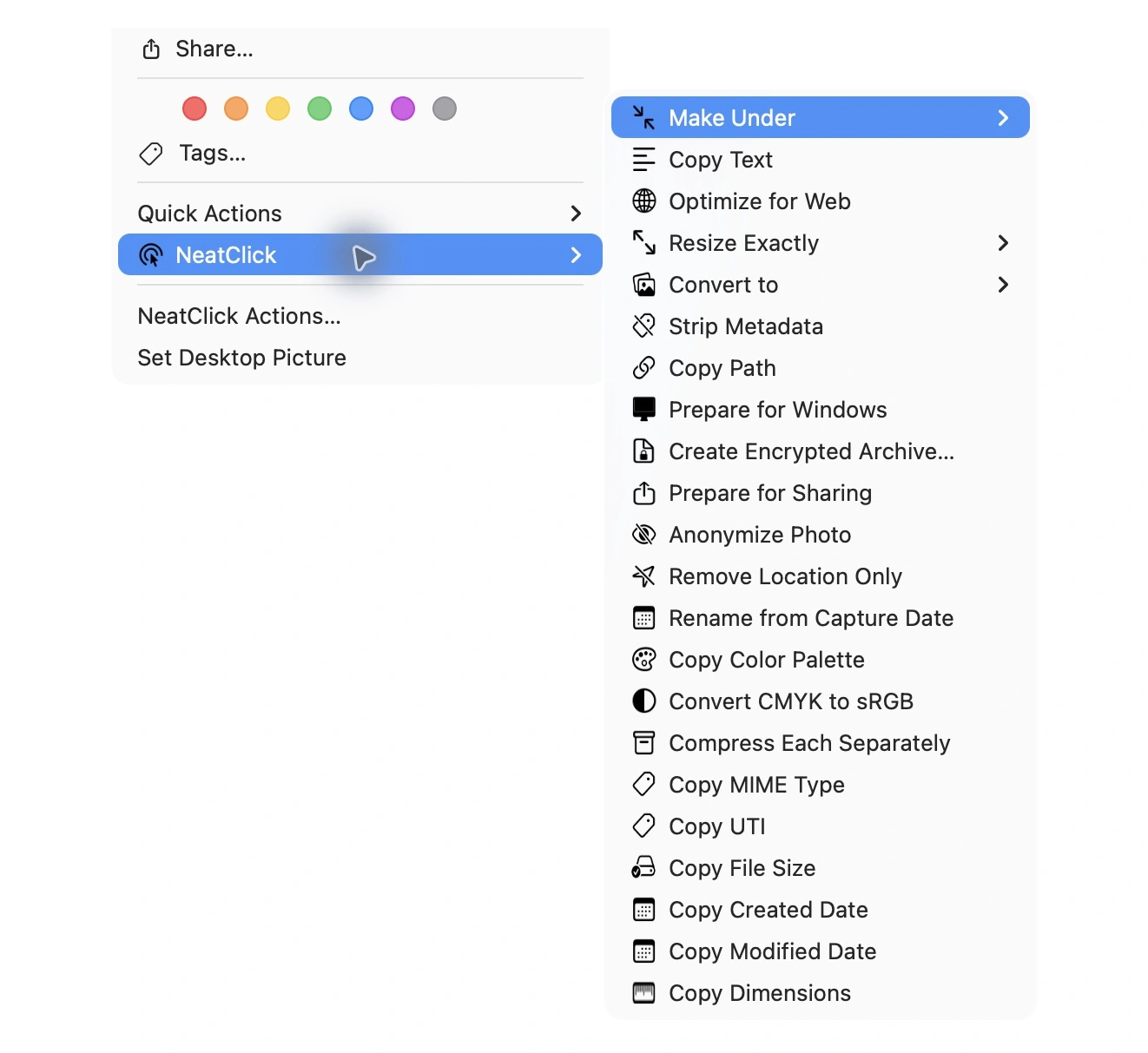
How it works
Choose one or more supported photos in Finder.
Use Strip Metadata for a broad cleanup or Remove Location Only when other metadata should remain.
NeatClick creates new files. Review visible content and metadata before sending anything sensitive.
Why NeatClick
Process compatible JPEG, PNG, HEIC, and TIFF images together instead of inspecting each photo manually.
Remove GPS tags without intentionally discarding all other photo metadata.
The image and its hidden information remain on your Mac during processing.
Work on copies so your private archive can retain capture dates and camera information.
What is included
Questions
Depending on the file, metadata may include GPS coordinates, capture date, camera and lens details, software, orientation, and embedded previews.
Yes. Remove Location Only targets GPS information while retaining other supported metadata.
No. It saves a separate copy with a new filename by default.
Keep working

More than 80 local file actions. One purchase for two Macs.